If you bought an iPhone 16 or a Galaxy S25 last year, check your settings right now. Is your Battery Health already at 88% or 90%?
You aren’t alone. In Jan 2026, “Battery Anxiety” is back. But it’s not the software’s fault—it’s the Indian heat combined with “Old” charging technology. Here is why your battery is dying and how a ₹1,500 investment can save you a ₹8,000 battery replacement.
The #1 Killer: The “40°C Rule”
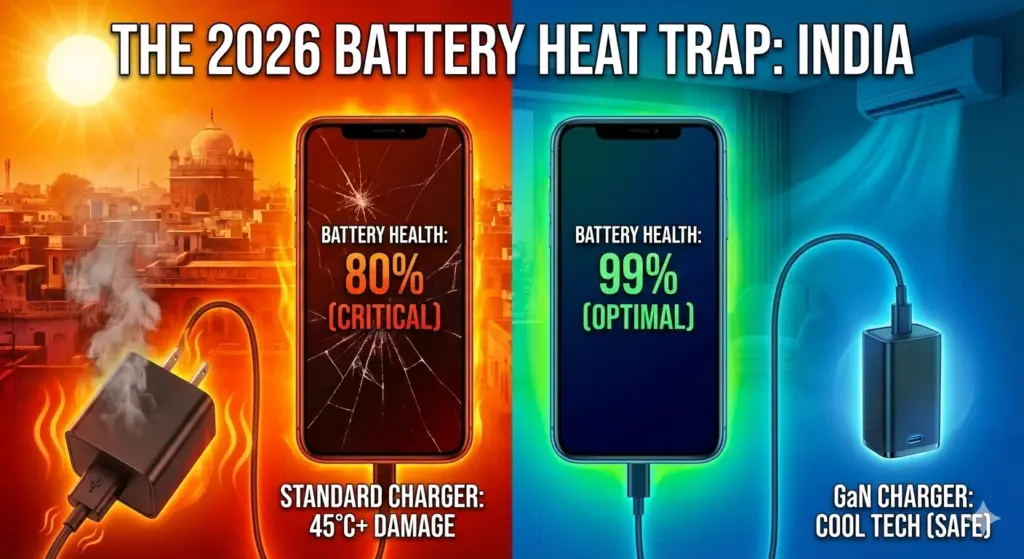
Lithium-ion batteries have one arch-enemy: Heat.1 In cities like Ahmedabad, Delhi, or Mumbai, the ambient temperature is already high. When you plug in a “Standard” 65W charger, the internal battery temperature often crosses 45°C.
The Math of Damage: Research shows that a battery kept at 40°C+ during charging will lose capacity twice as fast as one kept at 25°C.
The “Fast Charging” Lie
Brands boast about “0 to 100% in 20 minutes.” What they don’t tell you is that the final 20% (from 80% to 100%) puts the most voltage stress on the battery cells. It’s like trying to overfill a balloon; the last bit of air causes the most stretching and wear.
The Solution: Switch to GaN (Gallium Nitride)
Most chargers that come in the box (or cheap ones from the market) use Silicon chips. Silicon gets hot. GaN (Gallium Nitride) is the new 2026 standard. It is more efficient, 3x smaller, and most importantly—it stays cool.
| Feature | Standard Silicon Charger | GaN (Gallium Nitride) Charger |
| Heat Level | High (Hurts Battery) | Very Low (Safe) |
| Size | Bulky Brick | Pocket-sized |
| Efficiency | ~85% | ~95%+ |
| Verdict | Fine for 2020 | Mandatory for 2026 |
The “Battery Life” Toolkit (Amazon Picks)
If you want to keep your phone for 3+ years, get these:
Click Here- The Gold Standard: Anker Nano II 45W / 65W. It’s the most trusted GaN charger globally. It uses “ActiveShield” to monitor temperature 20 times per second.

Click Here-The Value King: Ambrane 65W GaN. Perfect for Indian sockets, it can charge your laptop and phone together without heating up.

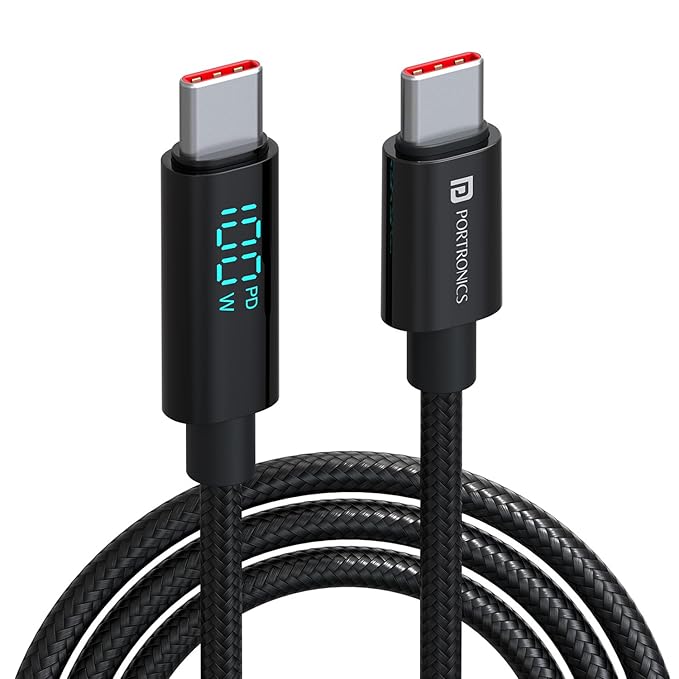
Click Here – The “Proof” Cable: USB-C Cable with LED Display. This cable shows you the real-time wattage. If your phone is heating up, you can see if it’s pulling too much power.
The “GadgetUnder” 3-Step Routine to Save Health
- Enable the “80% Limit”: Go to Settings > Battery and cap the charge at 80%. Only charge to 100% if you know you have a long day traveling.
- Remove the Case: If you are using a thick “Protective” case, remove it while charging.2 These cases act like blankets, trapping the heat inside the battery.3+1
- Avoid “Car Dash” Charging: Never leave your phone charging on a car dashboard under the Indian sun.4 This is the fastest way to kill a battery in under 6 months.